

After more than 15 years, the OpenFOAM for Windows project from CFD SUPPORT is retiring as a standalone project. What started as a simple Windows port gradually evolved into the foundations of TCAE-Lite and TCAE, where the project and its development continue further. Existing users are encouraged to continue with TCAE-Lite or TCAE depending on their workflow and support requirements.
OPENFOAM FOR WINDOWS
Free, natively compiled package for running OpenFOAM® in Windows
OpenFOAM® for Windows is a comprehensive CFD software package allowing to run OpenFOAM® (originally designed for Linux) in Microsoft Windows. OpenFOAM® for Windows is free of charge.


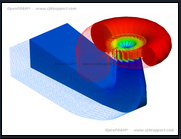
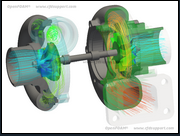
At CFD Support we understand the challenges of modern companies workflow. Our long term goal is building bridges between top-class development and real practice. In the past we have received many requirements on providing and supporting OpenFOAM® software under Microsoft Windows. As a result, we have delivered to the market OpenFOAM® for Windows.
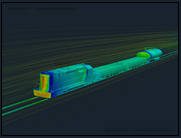

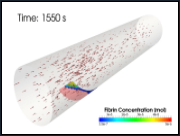
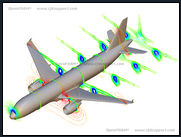
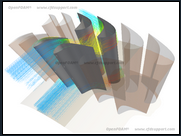
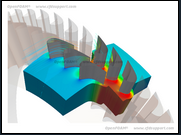
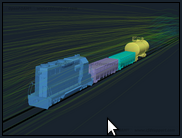
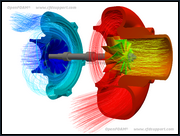
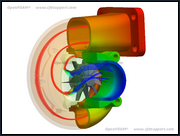
OpenFOAM® for Windows goes well together with CFD Support’s other products and services: Turbomachinery CFD created to enable a quick and efficient design optimization of turbomachinery components. Turbo Blade Post created to enable an efficient visual postprocessing of turbomachinery.

We also recommend our OpenFOAM® Training which may help you to upgrade your OpenFOAM® skills to proper level.
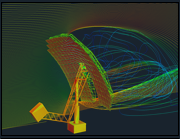


OpenFOAM® for Windows is fully supported, see General OpenFOAM® Support. OpenFOAM® for Windows is maintained regularly updated together with latest OpenFOAM® versions.

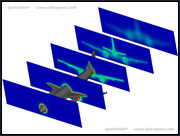
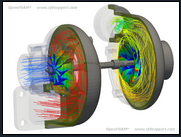
OpenFOAM® for Windows was primarily tested in Wndows 10 and also quite well tested in Wndows 7 and Wndows 8.1. Installation instructions can be found here.
Technical Specifications & Software Features
- Free for All
- No Cross-Compilation Linux->Windows
- Native Windows Compilation
- Windows 64-bit
- Full Functionality
- Regularly Updated with latest OpenFOAM®
- Support Available
- Already Compiled, just download and go
OpenFOAM® for Windows includes:
- Complete set of instructions - how to run OpenFOAM® under Microsoft Windows
- Compiled OpenFOAM® - all the project executables *.exe and dynamic libraries *.dll
- Source Code - all the OpenFOAM® source code allowing further developing and understanding the functionalities
- Other software - supporting OpenFOAM® workflow under Windows
- Long-term Support Available - highly recommended, also includes regular software updates and maintenance
- Training Available - both on-site and off-site trainings
Install OpenFOAM® for Windows
When running OpenFOAM® in Windows we recommend to use Cygwin software to keep the workflow consistent with Linux as much as possible. There are many other ways of using OpenFOAM® for Windows, depending on your previous experiences, preferred applications and other circumstances. This page describes just one of those ways.
After downloaded OpenFOAM® for Windows installation file, simply run it. We recommend to follow the installation default options.
Example 1 : first case run
- run OpenFOAM for Windows
$ mc
mc command runs midnight commander, which is truly powerful tool when working in terminal, note you can always switch by ctrl+o to command line to run commands and again ctrl+o back to manage files
$ run
run alias jumps to your working directory
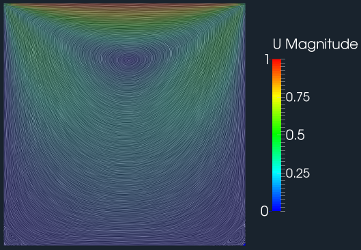
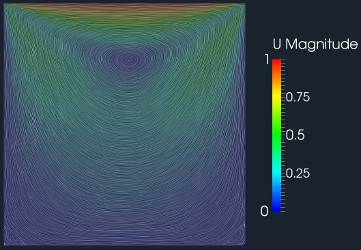
$ cp -r $FOAM_TUTORIALS/incompressible/icoFoam/cavity/cavity ./
copy the cavity tutorial case here
$ cd cavity
change directory to cavity
$ blockMesh.exe
create the computational mesh
$ icoFoam.exe
run the solver
$ paraFoam
view results in ParaView
Example 2 : run OpenFOAM for Windows in parallel
- run OpenFOAM for Windows
$ mc
$ run
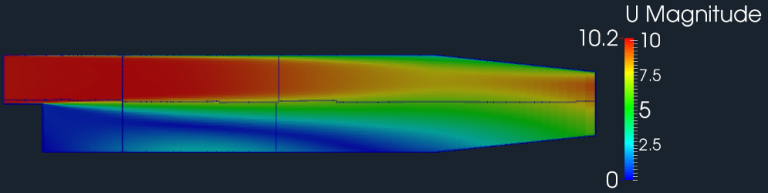
$ cp -r $FOAM_TUTORIALS/incompressible/simpleFoam/pitzDaily ./
$ cd pitzDaily
$ cp -r $FOAM_TUTORIALS/incompressible/simpleFoam/motorBike/system/decomposeParDict ./system/
$ blockMesh.exe
$ decomposePar.exe
$ mpiexec -n 6 simpleFoam -parallel
$ reconstructPar.exe
$ paraFoam
Example 3 : create new solver (compilation)
- run OpenFOAM for Windows
$ mc
$ run
$ mkdir myFirstWindowsOpenFOAMSolver
$ cd myFirstWindowsOpenFOAMSolver
$ cp -r $FOAM_SOLVERS/incompressible/icoFoam/* ./
$ sed -i "s/\/icoFoam/\/myFirstWindowsOpenFOAMSolver/g" Make/files
$ wmake
$ run
$ cp -r $FOAM_TUTORIALS/incompressible/icoFoam/cavity/cavity ./
$ cd cavity/
$ blockMesh.exe
$ myFirstWindowsOpenFOAMSolver.exe
$ paraFoam
Example 4 : motorBike
- run OpenFOAM for Windows
$ mc
$ run
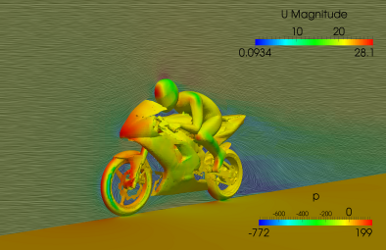
$ cp -r $FOAM_TUTORIALS/incompressible/simpleFoam/motorBike ./
$ cd motorBike
$ find ./ -type f | xargs sed -i "s/WM_PROJECT_DIR/OPENFOAM_INSTALL_PATH/g"
$ ./Allrun
$ paraFoam
Download OpenFOAM for Windows

This offering is not approved or endorsed by OpenCFD Limited, producer and distributor of the OpenFOAM software and owner of the OPENFOAM® and OpenCFD® trade marks.