





Previous: Few notes on snappyHexMeshDict Up: OpenFOAM tutorial – Cyclone Next: OpenFOAM tutorial – Cyclone
This is an automatically generated documentation by LaTeX2HTML utility. In case of any issue, please, contact us at info@cfdsupport.com.
Basic postprocessing
- As usual, visual postprocessing can be done in paraview.
- For visualization of particles topology inside the cyclone follow theses steps:
- Run paraview in case directory, i.e. use paraFoam command.
- Load the case, make just boundary visible (check only patches in Mesh parts).
- Make few clips to see just backward walls.
- Load the case again and visualize internalMesh only and alpha.particles volume field.
- Instead of surface representation use volume representation.
- For transient cases a time information is important; Go to menu Filter -> Alphabetical -> Annotate Time Filter.
- Final view is depicted in Figure

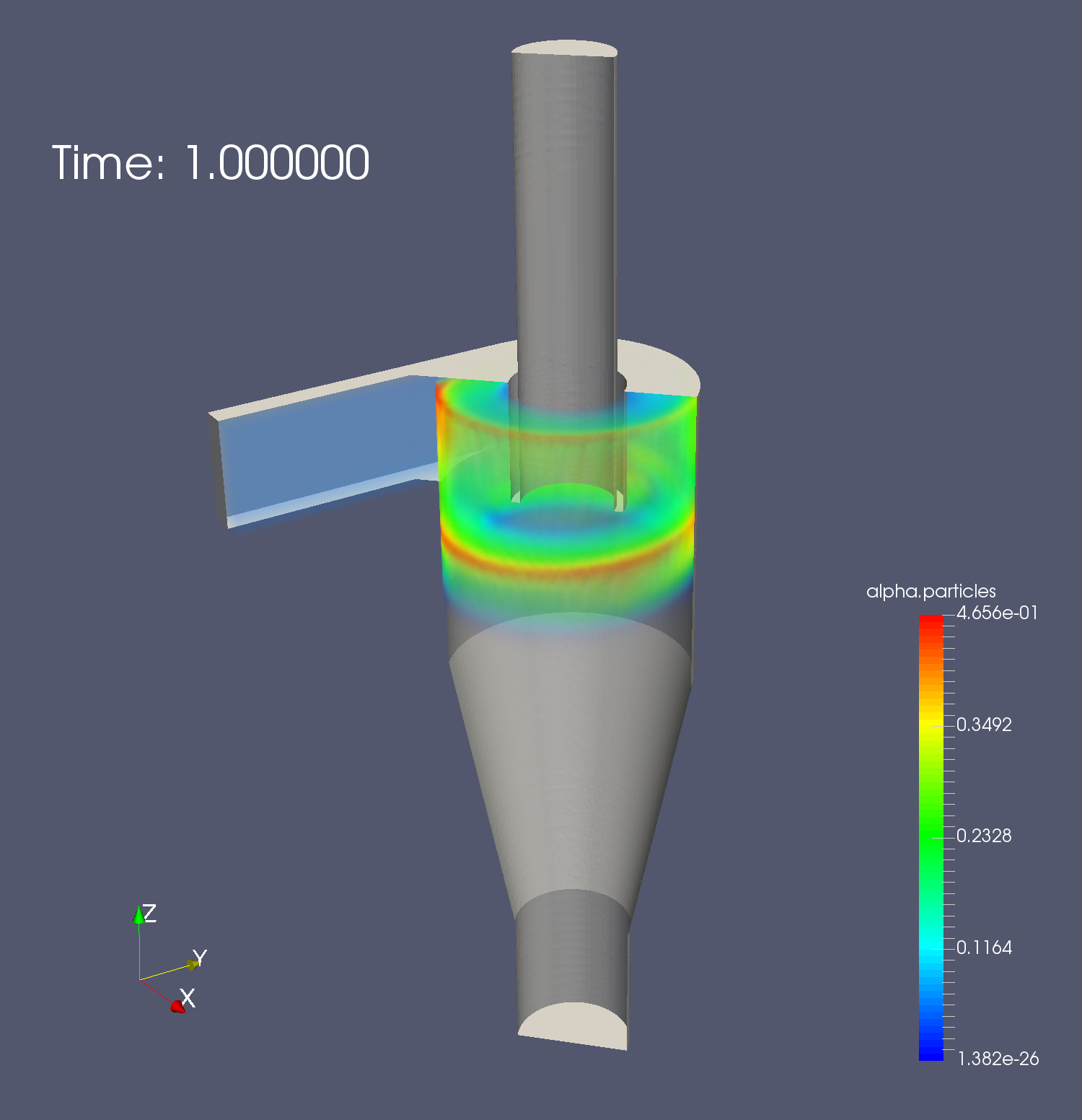
Figure: Alpha.particles visualization.
- It is possible to evaluate any field which given solver uses at any patch directly. It can be performed with patchAverage utility.
- Moreover, using foamCalc utility, it is possible to create new field e.g. magnitude of U, components of U (i.e. Ux, Uy, Uz),…
- To evaluate velocity magnitude at the outlet do following steps:
- First, create field magU:
# mpiexec -np 4 foamCalc mag U -parallel - Second, compute average value at the outlet patch:
# mpiexec -np 4 patchAverage magU Cyclone-outlet -parallel
- First, create field magU:
- For each saved time it prints the average volume of velocity magnitude directly on screen .